Understanding the MV88 Microphone
What is the MV88?
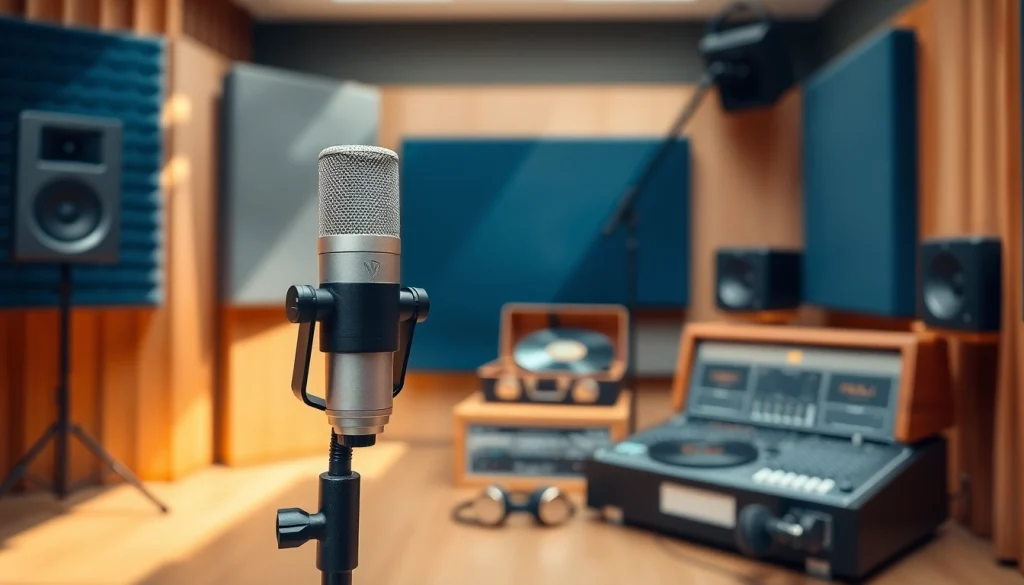
The MV88 is a premium digital stereo microphone specially designed for use with iOS devices. Created by Shure, a well-respected name in audio technology, the MV88 boasts a compact design paired with advanced digital signal processing capabilities that make it perfect for musicians, podcasters, and video creators seeking high-quality audio. By connecting directly to the Lightning port of your iPhone or iPad, this microphone turns your mobile device into a professional recording studio, providing exceptional sound clarity and versatility.
Key Features and Specifications
The MV88 comes equipped with several standout features:
- Adjustable Stereo Width: The microphone allows users to adjust the stereo width, providing flexibility from mono to full stereo sound capture, which is essential for different recording scenarios.
- On-Board DSP: The built-in digital signal processor provides five DSP preset modes allowing users to tailor their recordings to suit various environments, such as concerts or interviews.
- Compact and Portable: Its small size makes it highly mobile; the MV88 can easily fit into your pocket or bag, making it a great option for field recordings.
- Lightning Connector: Namely, the direct connection to iOS devices eliminates the need for additional cables, simplifying the recording process brimming with ease of use.
- High-Quality Components: It employs high-quality condenser capsules designed to produce crisp, clear sound across a wide frequency range.
Target Audience and Use Cases
The MV88 is designed for a diverse range of users:
- Musicians: From solo performers to full bands, musicians can use the MV88 to capture their sound in practice sessions or live performances.
- Podcasters: With its clear audio quality and ease of use, podcasters are increasingly relying on the MV88 to record interviews and episodes on the go.
- Filmmakers: Video creators can enhance their audio capture, ensuring that every dialogue and sound effect is crisp and professional.
- Content Creators: Social media influencers and vloggers can produce high-quality content without heavy equipment, allowing for more engaging and professional productions.
Setup Guide for the MV88
Essential Tools and Accessories
To get started with the MV88, you will need minimal additional equipment:
- iOS Device: Ensure your device has a Lightning port and is compatible with the MV88.
- Audio Recording Apps: Apps like GarageBand, Shure’s MOTIV app, or other professional recording apps enhance the functionality of the MV88.
- Windscreen: For outdoor recording, a windscreen is recommended to avoid wind noise compromising sound quality.
- Tripod or Mount: Using a tripod or a sticky mount will enable a steady recording setup, especially during video projects.
Connecting Your MV88: A Step-by-Step Guide
Setting up your MV88 is straightforward. Follow these simple steps:
- Unbox the MV88: Remove the microphone from its packaging and check for any included accessories.
- Connect to iOS Device: Plug the MV88 directly into the Lightning port of your iPhone or iPad.
- Open Recording App: Launch your chosen audio recording app, ensuring that it recognizes the MV88 as the input device.
- Select DSP Mode: Depending on your recording scenario, choose the appropriate DSP mode in the app.
- Start Recording: Press record and begin capturing audio!
Best Practices for Placement and Positioning
The placement of the MV88 affects sound quality significantly. Here are some best practices for effective microphone positioning:
- Distance: Maintain a distance of about 6 to 12 inches from the sound source to avoid audio distortion while capturing the full richness of the sound.
- Angle: Position the microphone towards the sound source. If recording specific instruments, angle the microphone head to optimize sound capture.
- Use a Stand: Whenever possible, use a tripod or a stand to keep the mic stable and reduce handling noise.
- Environment: Record in a controlled environment; for instance, avoid echo-heavy areas or significant background noise to maximize audio quality.
Optimizing Sound Quality with MV88
Understanding Gain and Levels
Sound quality is paramount when using the MV88. Understanding gain and levels will help enhance your recordings:
- Gain Settings: Adjust the gain settings in your app to avoid distortion. High gain can capture softer sounds, while lower gain can prevent loud noises from clipping.
- Normalizing Audio Levels: Aim for audio levels that peak between -12dB and -6dB. This standard will provide headroom for post-production adjustments without sound distortion.
- Monitoring: Use headphones to monitor your recordings in real-time, checking for clarity and avoiding feedback.
Utilizing EQ Settings for Clarity
Applying equalization (EQ) settings is essential when optimizing your recordings:
- Boosting Frequencies: Increase bass frequencies for depth and warmth or heighten treble frequencies to bring clarity and presence to spoken vocals.
- Cutting Unwanted Frequencies: Remove frequencies that may cause muddiness or harshness in the audio, tailoring the overall sound profile to suit your needs.
- Experimenting: Always experiment with EQ settings during recording and playback to find the best match for your voice or instrument.
Common Mistakes to Avoid When Recording
To achieve the best audio quality, avoid these common mistakes when using the MV88:
- Ignoring Acoustics: Don’t overlook the importance of your recording environment; echo and background noise can ruin a recording.
- Poor Microphone Placement: Incorrect positioning can lead to capturing unwanted sounds or losing audio clarity.
- Overloading Gain: Setting the gain too high without appropriate adjustments can cause distortion.
- Neglecting Pre-Recording Checks: Failing to monitor audio levels and quality before recording can lead to subpar results.
Creative Uses for the MV88
Recording Music: Techniques and Tips
The MV88 shines in musical applications. Musicians can leverage its capabilities for diverse types of recordings:
- Live Band Practice: Use the MV88 to record band practices to review performance and improve sound balance.
- Solo Performances: Capture your sessions solo by using the microphone on stage or in the studio for quick setups.
- Collaboration with Other Musicians: Record jam sessions with multiple instruments using the MV88’s adjustable stereo width for a rich sound canvas.
Podcasting with the MV88: Best Practices
Podcasters are benefiting from the MV88’s unique features:
- Interviews: Utilize the microphone for high-quality interviews in informal setups, ensuring personalized and clear sound.
- Field Recordings: Take your podcast on the road, capturing real-time audio interviews or situational sound bites.
- Post-Production Flexibility: Enhance your recording with appropriate editing and EQ adjustments to ensure optimal audio quality in the final product.
Video Production: Enhancing Audio in Your Projects
Filmmakers can enhance the sound quality of their projects through the use of the MV88:
- Clear Dialogue: Ensure that dialogues are crisp and clear, greatly improving the overall listener experience.
- Ambient Sound: Capture surrounding sounds to create an immersive experience for your audience, adding depth to your visuals.
- Easy Integration: The microphone pairs seamlessly with mobile devices used for both video capture and audio recording.
Maintenance and Troubleshooting
Regular Maintenance Tips
To keep your MV88 functioning optimally, consider these maintenance tips:
- Cleaning: Regularly clean the microphone to prevent dust and debris from affecting sound quality. Use a soft, dry cloth and brush for the grille.
- Storage: When not in use, store the MV88 in its original packaging or a protective case to avoid damage.
- Software Updates: Regularly check for firmware updates with the Shure MOTIV app to ensure your microphone is running the latest software.
Common Issues and Solutions
If you encounter issues with the MV88, consider these common problems and their solutions:
- No Sound: Ensure the MV88 is properly connected to your device and that the recording app recognizes it as input.
- Distorted Sound: Check your gain settings; if they are too high, reduce them to prevent clipping.
- Unwanted Noise: Review your environment for noise distractions and consider using a windscreen for outdoor recordings.
When to Seek Professional Help
If problems persist despite troubleshooting, it may be time to consult a professional:
- Warranty Issues: If your microphone is still under warranty, reach out to Shure’s support for further assistance.
- Technical Problems: If you’re experiencing persistent technical difficulties that cannot be resolved, a professional audio technician can help.
- Complex Setups: For sophisticated audio setups, consider hiring an expert to ensure everything is configured for optimal performance.